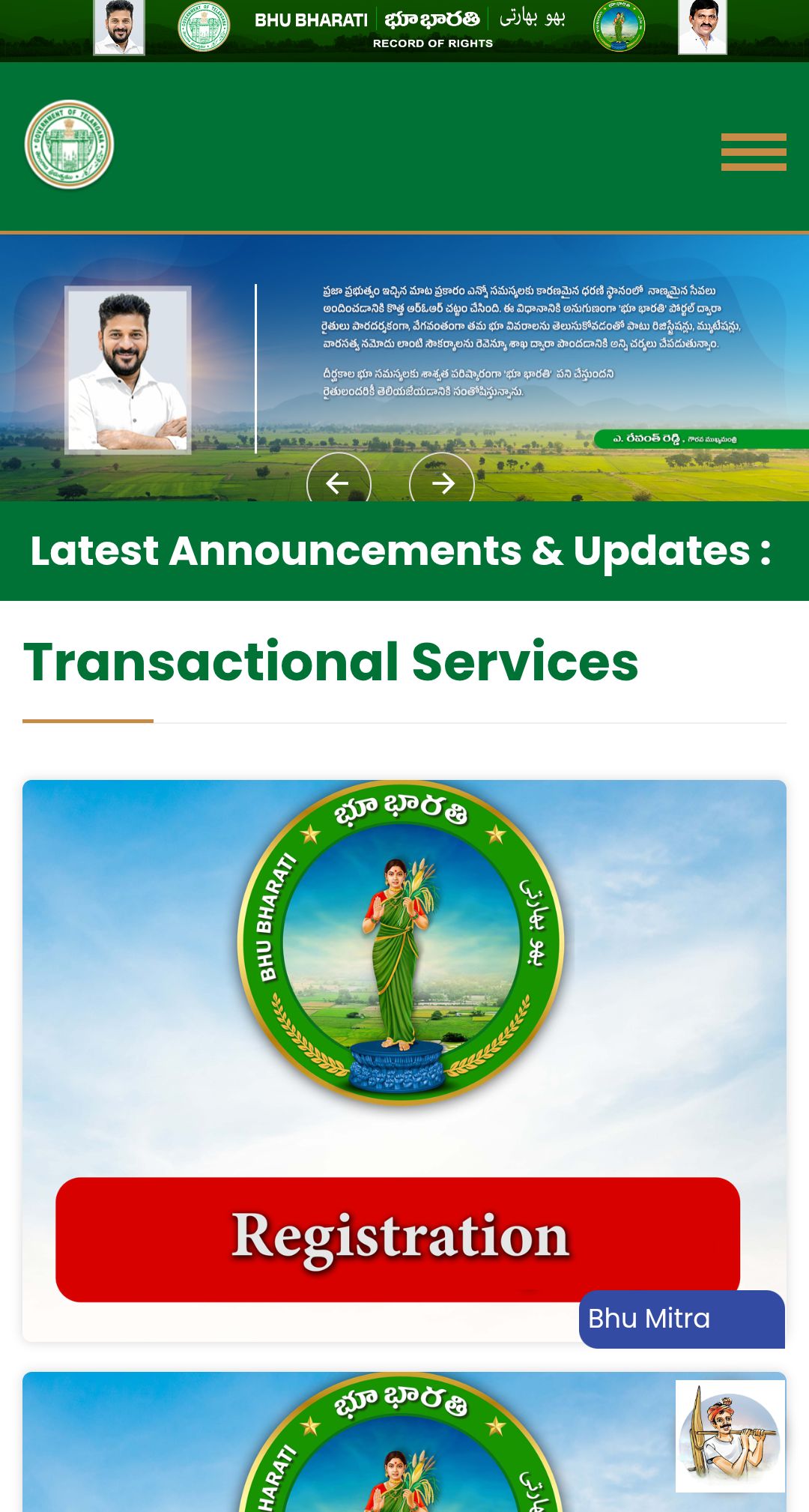
LAND DETAILS BY SURVEY NUMBER భూ భారతి (BHUMI Bharati) పోర్టల్లో Survey Number లేదా Pattadar Passbook Number ద్వారా భూమి వివరాలు ఎలా చెక్ చేయాలో పూర్తి స్టెప్ బై స్టెప్ తెలుగు గైడ్. ROR, యజమాని పేరు, విస్తీర్ణం, భూమి వివరాలు తెలుసుకోండి.
—
భూ భారతి (BHUMI Bharati) అంటే ఏమిటి?**
**భూ భారతి (BHUMI Bharati)** అనేది తెలంగాణ ప్రభుత్వ డిజిటల్ భూ రికార్డుల నిర్వహణ వ్యవస్థ. ఈ పోర్టల్ ద్వారా రైతులు మరియు భూమి యజమానులు తమ భూమికి సంబంధించిన వివరాలను **ఆన్లైన్లో ఉచితంగా** తెలుసుకోవచ్చు.
ఈ పోర్టల్లో మీరు:
* ✅ భూమి వివరాలు
* ✅ పట్టాదారు పేరు
* ✅ Survey Number
* ✅ Pattadar Passbook వివరాలు
* ✅ ROR (Record of Rights)
* ✅ నమోదు పత్రాల వివరాలు
* ✅ భూమి స్థితి
వంటి సమాచారాన్ని సులభంగా పొందవచ్చు.
భూ భారతి పోర్టల్లో భూమి వివరాలు చెక్ చేయడానికి అవసరమైనవి**
భూమి వివరాలు తెలుసుకోవడానికి క్రింది వాటిలో ఏదైనా ఒకటి ఉంటే సరిపోతుంది.
* **Survey Number**
* **Sub Division Number**
* **Pattadar Passbook Number**
* జిల్లా (District)
* మండలం (Mandal)
* గ్రామం (Village)
*Step 1: భూ భారతి అధికారిక వెబ్సైట్ ఓపెన్ చేయండి**LAND DETAILS BY SURVEY NUMBER
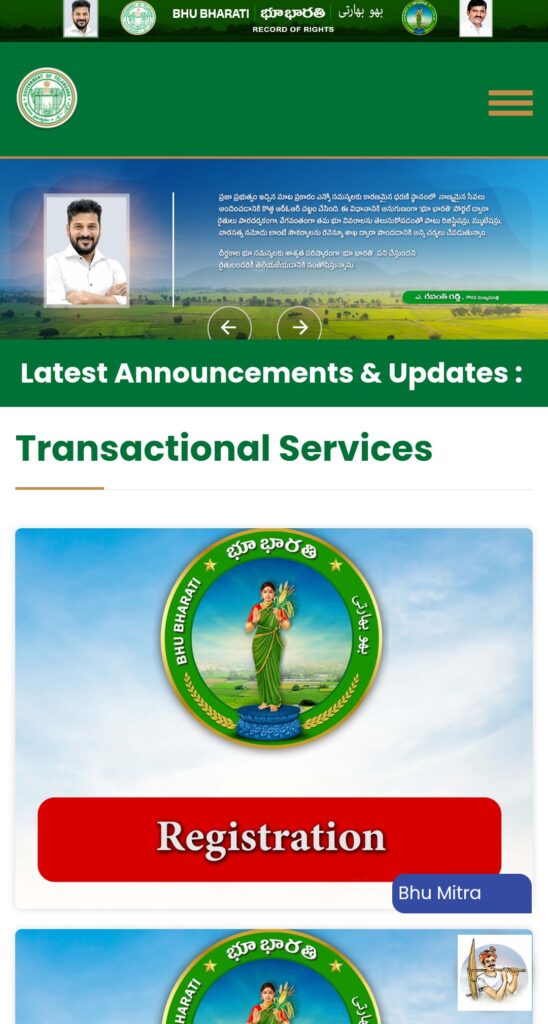
మొదట తెలంగాణ ప్రభుత్వ అధికారిక భూ భారతి వెబ్సైట్ను ఓపెన్ చేయండి.
**అధికారిక వెబ్సైట్:**
[భూ భారతి అధికారిక పోర్టల్ CLICK HERE
Step 2: Land Details Search పై క్లిక్ చేయండి**
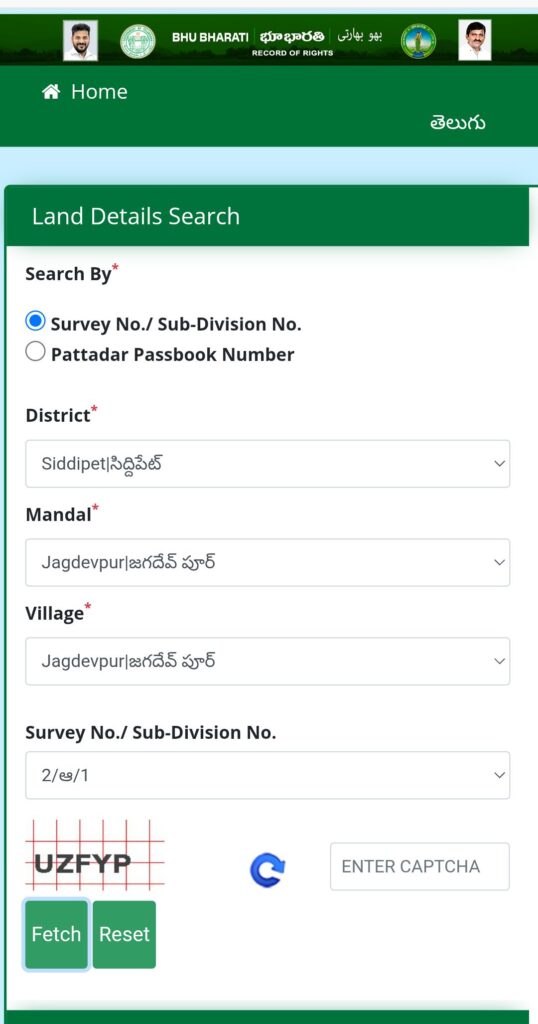
హోమ్పేజ్లో కనిపించే
**Land Details Search**
అనే ఆప్షన్పై క్లిక్ చేయండి.
ఇక్కడ భూమి వివరాలను శోధించడానికి రెండు ప్రధాన ఆప్షన్లు ఉంటాయి.
* Survey Number ద్వారా
* Pattadar Passbook Number ద్వారా
—
Step 3: Search విధానాన్ని ఎంచుకోండి**
**Option 1 – Survey Number ద్వారా**
ఈ విధానం ఎక్కువగా ఉపయోగించబడుతుంది.
క్రింది వివరాలను నమోదు చేయండి.
* District
* Mandal
* Village
* Survey Number
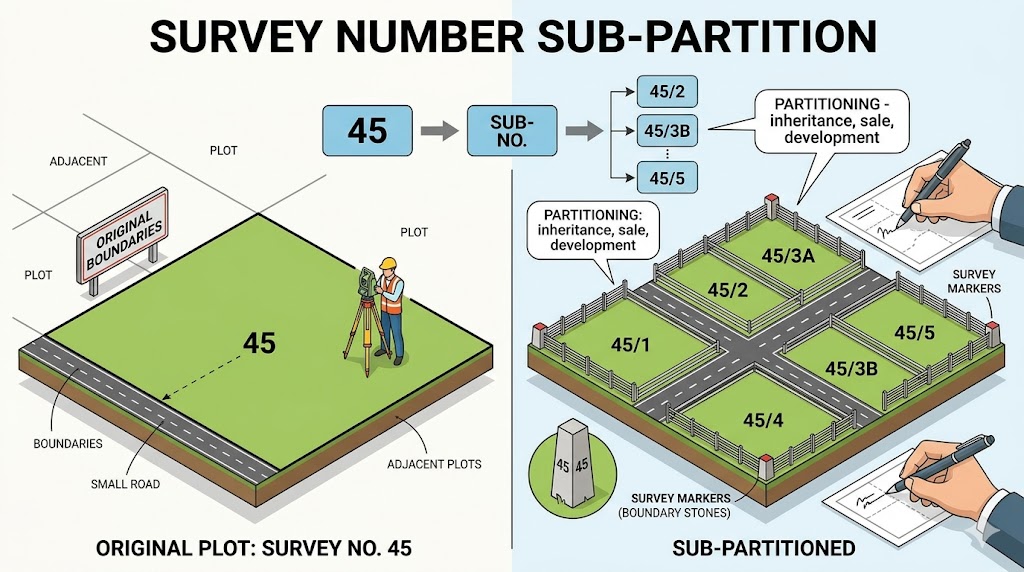
తర్వాత Captcha నమోదు చేయండి.
—
Option 2 – Pattadar Passbook Number ద్వారా**
మీ వద్ద పాస్బుక్ ఉంటే
* Pattadar Passbook Number నమోదు చేయండి.
* అవసరమైతే ఆధార్ మొదటి నాలుగు అంకెలు నమోదు చేయండి.
* Captcha నమోదు చేయండి.
# **Step 4: Fetch బటన్పై క్లిక్ చేయండి**
అన్ని వివరాలు నమోదు చేసిన తర్వాత
**Fetch**
బటన్పై క్లిక్ చేయండి.
కొన్ని సెకన్లలో మీ భూమికి సంబంధించిన సమాచారం స్క్రీన్పై కనిపిస్తుంది.
—
*Step 5: భూమి వివరాలు చూడండి**
Fetch చేసిన తర్వాత క్రింది వివరాలు కనిపించవచ్చు.
**1. పట్టాదారు పేరు**
భూమి యజమాని పేరు
**2. Survey Number**
భూమి సర్వే నంబర్
**3. Sub Division Number**
సబ్ డివిజన్ నంబర్
**4. భూమి విస్తీర్ణం**
ఎకరాలు లేదా గుంటల్లో
**5. భూమి రకం**
* వ్యవసాయ భూమి
* నివాస భూమి
* ఇతర వర్గీకరణ
**6. గ్రామం**
**7. మండలం**
**8. జిల్లా**
**9. Pattadar Passbook Number**
**10. Record of Rights (ROR)**
అందుబాటులో ఉంటే RORను చూడవచ్చు లేదా డౌన్లోడ్ చేసుకోవచ్చు.
—
# **భూ భారతి ద్వారా ఏయే వివరాలు తెలుసుకోవచ్చు?**
భూ భారతి పోర్టల్ ద్వారా మీరు:
* భూమి యజమాని పేరు
* భూమి విస్తీర్ణం
* Survey Number
* Sub Division
* Pattadar వివరాలు
* ROR
* రిజిస్ట్రేషన్ సమాచారం
* భూమి స్థితి
వంటి వివరాలను తెలుసుకోవచ్చు.
—
**భూమి వివరాలు కనిపించకపోతే ఏమి చేయాలి?**
కొన్ని సందర్భాల్లో రికార్డులు వెంటనే కనిపించకపోవచ్చు.
కారణాలు:
* Survey Number తప్పుగా నమోదు చేయడం
* తప్పు జిల్లా లేదా గ్రామం ఎంపిక
* రికార్డులు ఇంకా అప్డేట్ కాకపోవడం
* కొత్త సర్వే లేదా రికార్డు మార్పులు
ఇలాంటి సందర్భాల్లో సంబంధిత **తహసీల్దార్ కార్యాలయం** లేదా **రెవెన్యూ శాఖ**ను సంప్రదించడం మంచిది.
—
**భూ భారతి పోర్టల్ ప్రయోజనాలు**
* ✔ ఉచితంగా భూమి వివరాలు తెలుసుకోవచ్చు
* ✔ ఇంటి నుంచే సేవలు పొందవచ్చు
* ✔ పారదర్శక భూ రికార్డులు
* ✔ రికార్డులు త్వరగా పరిశీలించవచ్చు
* ✔ ప్రభుత్వ అధికారిక సమాచారం
—
**తరచుగా అడిగే ప్రశ్నలు (FAQs)**
**1. భూ భారతి పోర్టల్ ఉచితమా?**
అవును. భూమి వివరాలు చూడటం ఉచితం.
**2. Survey Number లేకపోతే?**
Pattadar Passbook Number ద్వారా కూడా వెతకవచ్చు.
**3. మొబైల్లో ఉపయోగించవచ్చా?**
అవును. మొబైల్ బ్రౌజర్ ద్వారా కూడా ఉపయోగించవచ్చు.
**4. ROR డౌన్లోడ్ చేయవచ్చా?**
అందుబాటులో ఉన్న రికార్డులకు RORను వీక్షించడానికి లేదా డౌన్లోడ్ చేసుకునే అవకాశం ఉంటుంది.
*ముగింపు**
భూ భారతి (BHUMI Bharati) పోర్టల్ తెలంగాణ రాష్ట్రంలో భూమి రికార్డులను ఆన్లైన్లో సులభంగా పరిశీలించడానికి రూపొందించిన అధికారిక వ్యవస్థ. Survey Number లేదా Pattadar Passbook Number ఉపయోగించి కొద్ది నిమిషాల్లోనే మీ భూమి వివరాలు, యజమాని సమాచారం, ROR వంటి ముఖ్యమైన రికార్డులను చూడవచ్చు. ఈ సేవలతో భూమి రికార్డుల పరిశీలన మరింత పారదర్శకంగా మరియు సులభంగా మారింది.
ENGLISH VERSION LAND DETAILS BY SURVEY NUMBER
How to Check Land Details in the BHUMI Bharati Portal – Step-by-Step Guide (2026)
LAND DETAILS BY SURVEY NUMBER How to Check Land Details in the BHUMI Bharati Portal | Telangana Land Records Guide
# What is the BHUMI Bharati Portal?
The **BHUMI Bharati Portal** is the official digital land records management system introduced by the Government of Telangana. It enables landowners, farmers, and citizens to access land-related information online without visiting government offices.
Using the portal, you can check:
* Land ownership details
* Survey Number
* Pattadar Passbook details
* Record of Rights (ROR)
* Land extent
* Registration information
* Current land status
—
# Information Required to Check Land Details LAND DETAILS BY SURVEY NUMBER
Before searching for land records, keep any one of the following details ready:
* Survey Number
* Sub-Division Number
* Pattadar Passbook Number
* District
* Mandal
* Village
—
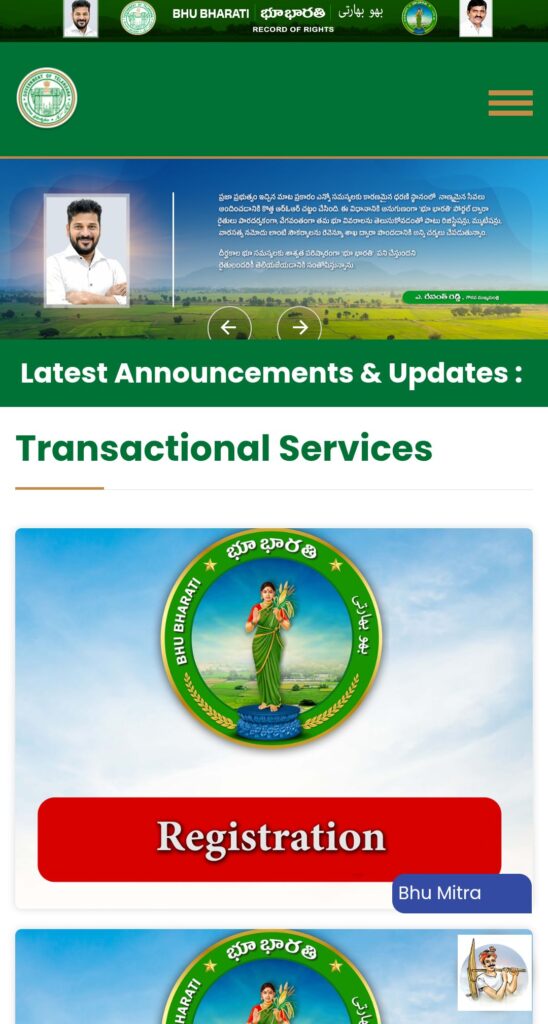
# Step 1: Visit the Official BHUMI Bharati Portal
Open the official Telangana BHUMI Bharati website in your browser.
Official Website:
https://bhubharati.telangana.gov.in](https://bhubharati.telangana.gov.in
# Step 2: Click on “Land Details Search”
On the homepage, select the **Land Details Search** option.
The portal allows you to search land records using:
* Survey Number
* Pattadar Passbook Number
—
# Step 3: Choose Your Search Method
Option 1: Search by Survey Number
This is the most commonly used method.
Enter the following details:
* District
* Mandal
* Village
* Survey Number
* Sub-Division Number (if applicable)
* CAPTCHA Code
—
Option 2: Search by Pattadar Passbook Number
If you have your Pattadar Passbook, enter:
* Pattadar Passbook Number
* Aadhaar details (if required)
* CAPTCHA Code
—
Step 4: Click the “Fetch” Button
After entering the required information, click the **Fetch** button.
Within a few seconds, the portal will display the land details.
—
# Step 5: View Your Land Details
The portal may display the following information:
Land Owner Name
The registered owner’s name.
Survey Number
The official survey number of the land.
### Sub-Division Number
Subdivision details, if available.
### Land Extent
The total land area in acres, guntas, or other applicable units.
### Land Classification
* Agricultural Land
* Residential Land
* Commercial Land
* Other Categories
### Location Details
* Village
* Mandal
* District
Pattadar Passbook Number
Registered Pattadar Passbook details.
Record of Rights (ROR)
If available, you can also view or download the Record of Rights.
—
# What Information Can You Check in the BHUMI Bharati Portal?
The portal provides access to:
* Land owner details
* Survey Number
* Land extent
* Pattadar information
* Record of Rights (ROR)
* Registration details
* Land status
* Village, Mandal, and District information
—
# What If Land Details Are Not Available?
Sometimes the portal may not display land records due to:
* Incorrect Survey Number
* Wrong District, Mandal, or Village selection
* Recently updated records
* Ongoing land record verification
* Technical issues with the portal
In such cases, contact the nearest **Tahsildar Office** or the **Revenue Department** for assistance.
—
# Benefits of the BHUMI Bharati Portal
* Free online access to land records
* Available 24/7 from anywhere
* Official government land information
* Saves time and reduces office visits
* Easy-to-use digital platform
* Transparent land record system
—
# Frequently Asked Questions (FAQs)
## 1. Is the BHUMI Bharati Portal free to use?
Yes. Checking land details on the portal is completely free.
## 2. Can I search without a Survey Number?
Yes. You can also search using your Pattadar Passbook Number.
3. Can I access the portal on my mobile phone?
Yes. The portal is mobile-friendly and can be accessed through any web browser.
4. Can I download the Record of Rights (ROR)?
Yes. If the record is available, you can view or download the ROR through the portal.
—
# Conclusion
The **BHUMI Bharati Portal** is an important digital initiative by the Telangana Government that allows citizens to access land records online with ease. By using a **Survey Number** or **Pattadar Passbook Number**, users can quickly check ownership details, land extent, ROR, and other important land information. This online service makes land record verification faster, more transparent, and more convenient.
—